
Collect Cars and Race Guides Hub
Every Collect Cars and Race tutorial in one map: first hour, gas, pets, cars, rebirth, distance, and the ramp.
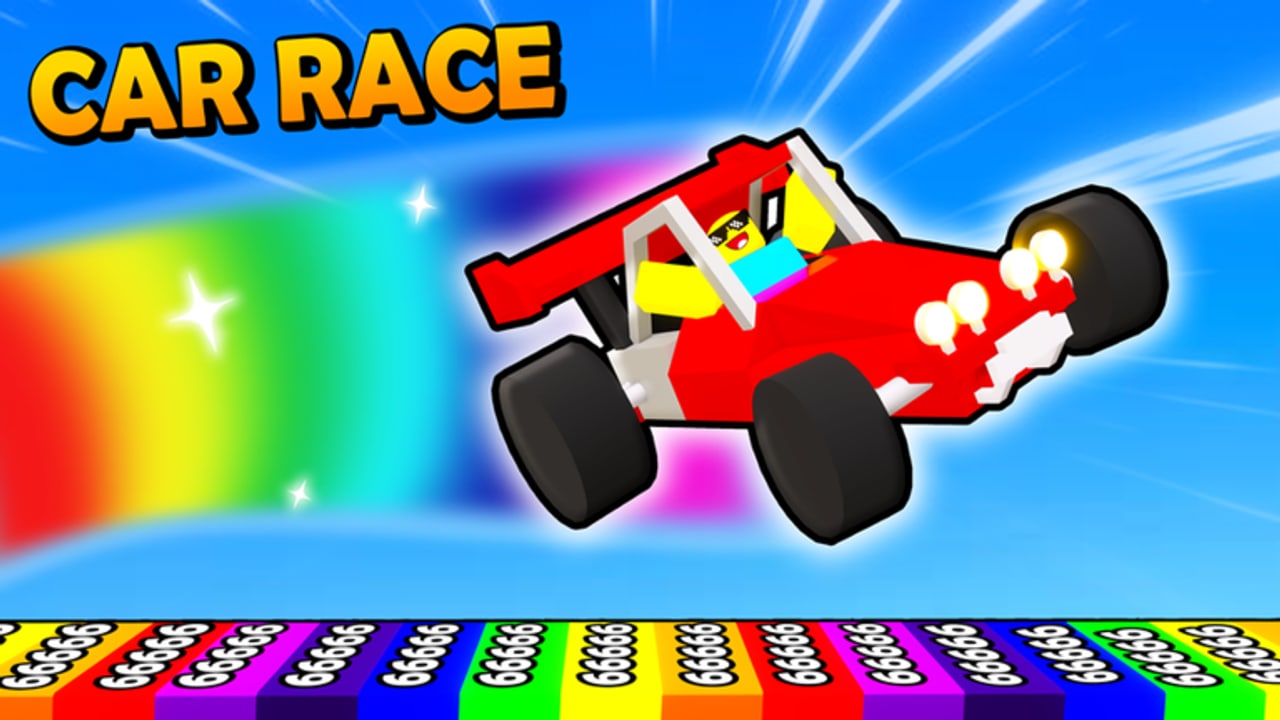
This Guides Hub is the map for Collect Cars and Race, the fan name we use for the Roblox experience officially titled Car Race by push to start. The place launched on 20 November 2022, is free to play, and runs on 16-player online servers. You are not in a local co-op campaign and you are not in a single-player-only sandbox. You share a lobby, scoop gas, hatch pets, buy cars, then launch off a ramp onto an infinite rainbow stud track and chase a high score.
Use this hub when you know the question but not the page. Each guide below covers one job. Cross-link between them instead of rereading the same loop on every article.
Do not confuse this experience with Car Race Simulator, Car Dealership Tycoon, or Driving Empire. Those games sell different loops. Collect Cars and Race is an incremental launcher: lobby gas becomes speed, pets multiply distance, cars change how the launch feels, and rebirth opens extra maps such as Candy / Candyland.
Start here if you just joined
If this is your first session, open Getting Started before you floor the starter vehicle. That page is the day-one order: join the correct place, redeem every working string from the codes hub, collect a first tank of gas, hatch or claim a pet, buy only what you can afford, then take one clean launch. It also tells you which gamepasses can wait.
If you already know the HUD but still wreck the run, skip ahead to How to Play. That article walks the full loop in depth: lobby route, pet loadout, shop purchase, ramp commit, score readout, and when rebirth is worth the reset.
Core systems, one guide each
Distance is not a mystery stat. Three systems stack, and each has its own page.
Gas is the fuel you collect in the lobby from cans and from treasure crosses you dig. Missed cans mean a slower ramp and a shorter rainbow. How to Collect Gas covers can routes, digging marked crosses, the Auto Collect pass, and which codes dump free gas so you are not walking empty.
Pets multiply how far that speed actually carries you. Hatch eggs in the shop, equip the strongest multipliers you own, and do not leave a code pet sitting in storage. How to Get Pets explains hatching, the Universal Varan and Monster Pet code rewards, storage passes, luck passes, and Triple Hatch.
Cars are the vehicle you ride off the ramp. The shop climbs from starter vehicles through sports cars, buses, jeeps, boats, a pirate ship, and a submarine, with color customization on many models and a few expensive Robux listings. How to Get Cars covers gas as currency, when a new body is worth the spend, and why a better car changes distance instead of just looking louder.
When you want rankings instead of tutorials, jump to the tier list hub and compare vehicles and pets before you dump a tank into the wrong slot.
Distance is the score. How to Go Far stacks the three systems into a free-to-play launch plan: full can loops, equipped pets, honest gas cars, then the ramp. Use it when your rainbow dies early and you are not sure which leak to fix first.
Rebirth is the prestige step. Rebirth and Candy covers when to reset, what Candy / Candyland actually is, and how the 129 Robux Auto Rebirth pass fits. Do not prestige in the first hour.
Controls, codes, and the HUD
push to start has not published an official keybind document. Controls describes what gameplay videos actually show: walk or drive the lobby, interact with cans and crosses, open Shop on the left, paste codes at the bottom of that panel, equip pets, enter a car, and commit down the ramp. PC uses WASD and standard Roblox binds. Mobile uses tap plus the on-screen stick. Console follows the Roblox gamepad overlay. Read that page if Shop, the code box, or the launch prompt is hiding on your device.
Codes themselves live on the codes page, not in this hub. Active strings as of this writing include Update5, FreePet, GasBoost, Update4, Update3, Update2, Update1, FreeGas, and Release. Redeem them in Shop on the left side of the HUD. The beginner guide tells you to do that before your first walk so the tank and the first pet are not starting from zero.
After the first launch
Once you can complete a clean run, this hub is still the index. Return to How to Play for the full loop, How to Go Far when the number stalls, and Rebirth and Candy when you are ready to prestige for extra maps. Return to the gas, pet, and car guides whenever an update adds a shop row or a new egg. Use Getting Started only as a reset checklist if you make a fresh account. The PC nav shows the first seven guide links and sends the rest to this hub, so bookmark these two late-game pages if the dropdown is full.
The Guides Hub does not replace a patch note. If a new car, pet, or map just landed, read the matching how-to, then spend gas on purpose instead of going off the ramp with an empty tank because the lobby looks pretty.
Frequently Asked Questions
Quick answers for gas, pets, cars, and codes.
Which Collect Cars and Race guide should I read first?
Open Getting Started for the day-one order, then How to Play. Use How to Go Far when distance stalls and Rebirth before you prestige.
Is Collect Cars and Race the same as Car Dealership Tycoon?
No. This wiki covers the Roblox experience Car Race by push to start. It is not Car Race Simulator, Car Dealership Tycoon, or Driving Empire.
Where are codes, pets, cars, and gas explained?
Does this game have local co-op or single-player-only mode?
No. Servers hold up to 16 players online. You share a lobby and see other launches, but there is no local split-screen campaign.
Is there an official controls list?
No published keybind doc exists. Use the controls guide for the HUD and binds observed in gameplay videos.